Command used to create xml:
..\bin\win64\converter --input "_data\catia\Product1.CATProduct" --prepare_shattered_parts "output\Product1_shattered" --prepare_shattered_xml "output\Product1.xml" --read_wireframes 0 --import_pmi 1 --sc_export_pmi 1 --read_attributes 1 --sc_export_attributes 1 --sc_logging 1
Command used to create master sc:
..\bin\win64\converter --input_xml_shattered "output\Product1.xml" --sc_shattered_parts_directory "output\Product1_shattered" --output_sc_master "output\Product1" --read_wireframes 0 --import_pmi 1 --sc_export_pmi 1 --read_attributes 1 --sc_export_attributes 1 --sc_logging 1
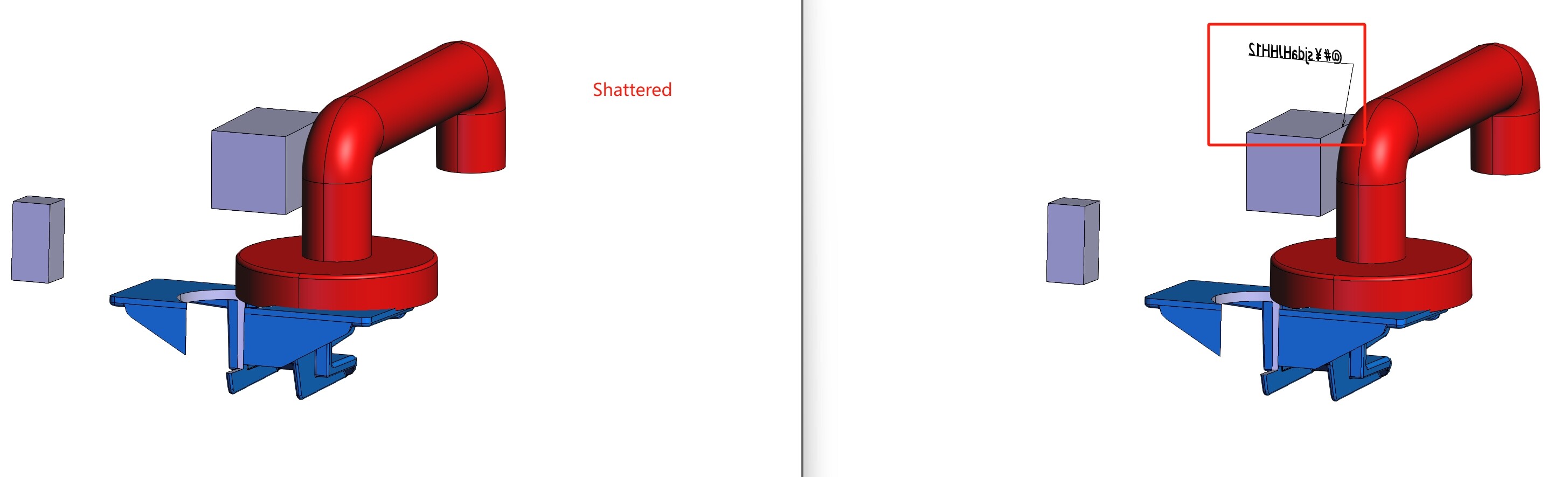
When I convert a single part, the PMI shows correctly:
..\bin\win64\converter --input "_data\catia\P1.CATPart" --output_sc "output\P1.CATPart" --read_wireframes 0 --import_pmi 1 --sc_export_pmi 1 --read_attributes 1 --sc_export_attributes 1 --sc_logging 1
Tested attached Catia files on HOOPS_Communicator_2024.8 and HOOPS_Communicator_2025.5, same result.
catia.zip (647.6 KB)