Hey all,
Hoping to get some help here. I am making use of the view cube, but I am finding what the view cube thinks is top view is not what I am expecting.
In this picture below, you can see when the cube is changed to top view the axis triad on the bottom shows X up, Z to the right and Y out towards us. Which messes up how we insert symbols.
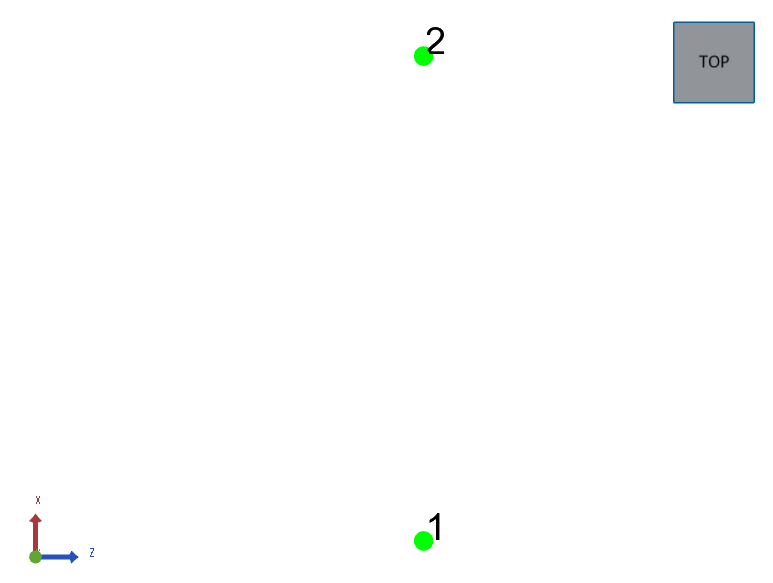
I am expecting something like CAD does which is Y up, X to the right, and Z towards us.
To add the view cube and the triad, I am doing this.
  m_canvas.GetFrontView()
          .GetNavigationCubeControl()
          .SetVisibility( true )
          .SetLocation( HPS::NavigationCubeControl::Location::TopRight )
          .SetInteractivity( true )
          .SetSize( 0.25f );

  m_canvas.GetFrontView()
          .GetAxisTriadControl()
          .SetVisibility( true );
It seems like I must be missing a configuration step for all the pieces of the puzzle to fall in place. Any help is greatly appreciated.