There is an example of starting and shutting down the Web Viewer without reloading the page. This example is provided as part of the quickstart module including the Communicator package. To view this example, please do the following:
Launch the server by double-clicking HOOPS_Communicator_2025.X.x\quick_start\start_server.bat
I am using Hoops Communicator WebViewer and trying to support multiple viewers dynamically.
When I call my removeViewer(id) function and then immediately try to create a new viewer with the same container, the 3D model does not render.
Here is my cleanup function:
function removeViewer(id) {
    let viewer = viewerMap.get(id);

    if (viewer) {
        viewer.shutdown();
        $(`#container-${id}`).remove();  // removing container div
        viewerMap.delete(id);
    }
}
And here is my viewer creation code:
createRemoteViewer(containerId, model, fileSet , authToken, wsUri, streamCutoffScale, defaultViewIndex) {
    let uri = wsUri + '/srvice?fileSetId=' + fileSet._id +
      '&nsfilter=' + model._namespaces[0] +
      '&token=' + authToken + '&serverVersion=4';

    let fileName = IafUtils.buildFileName(model, fileSet, defaultViewIndex ? defaultViewIndex : 0);

    let viewerPromise = new Promise((resolve) => {
      let params = {
        containerId: containerId,
        streamMode: window.Communicator.StreamingMode.All,
        rendererType: window.Communicator.RendererType.Client,
        streamCutoffScale: streamCutoffScale,
        endpointUri: uri,
        boundingPreviewMode: Communicator.BoundingPreviewMode.None,
        model: fileName
      };

      console.log('ViewerManager.createRemoteViewer', params);

      IafUtils.waitForElement(containerId).then((container) => {
        let _viewer = new window.Communicator.WebViewer(params);
        _viewer.start();
        resolve(_viewer);
      });
    });

    return viewerPromise;
}
Problem:
First creation works fine (viewer renders model correctly).
After calling removeViewer(id) and then creating a new viewer for the same model, the container is recreated but the model does not render.
No obvious errors in the console.
What I tried:
Verified that viewer.shutdown() is being called.
Verified that the container div is being removed and recreated.
Tried using a different container ID – sometimes it works, but reusing the same ID consistently fails.
Question:
Is there a recommended way to completely clean up a WebViewer instance so I can create a new one in the same container?
Do I need to call viewer = null or do additional disposal (textures, graphics, etc.)?
I tried removing the container and recreating it with a different div, but nothing is displayed. Do I need to use a different div ID when recreating? or i can just shutdown and use the same div id to create new viewer instance?
You don’t need to use a different div ID. When creating a new viewer, first shut it down, for example:
const viewerMap = new Map();

////////////////////////////////////////////////

const containerId = "viewer1";

    // If a viewer already exists, shut it down first
    if (viewerMap.has(containerId)) {
        const oldViewer = viewerMap.get(containerId);
        oldViewer.shutdown();
        viewerMap.delete(containerId);
    }
To make sure that the container exists in the DOM, you can try something like:
if (!document.getElementById(containerId)) {
        $("#viewers").html(`<div id="${containerId}" class="viewer"></div>`);
    }
The WebViewer config should have:
const viewer = new Communicator.WebViewer({
        containerId: containerId,
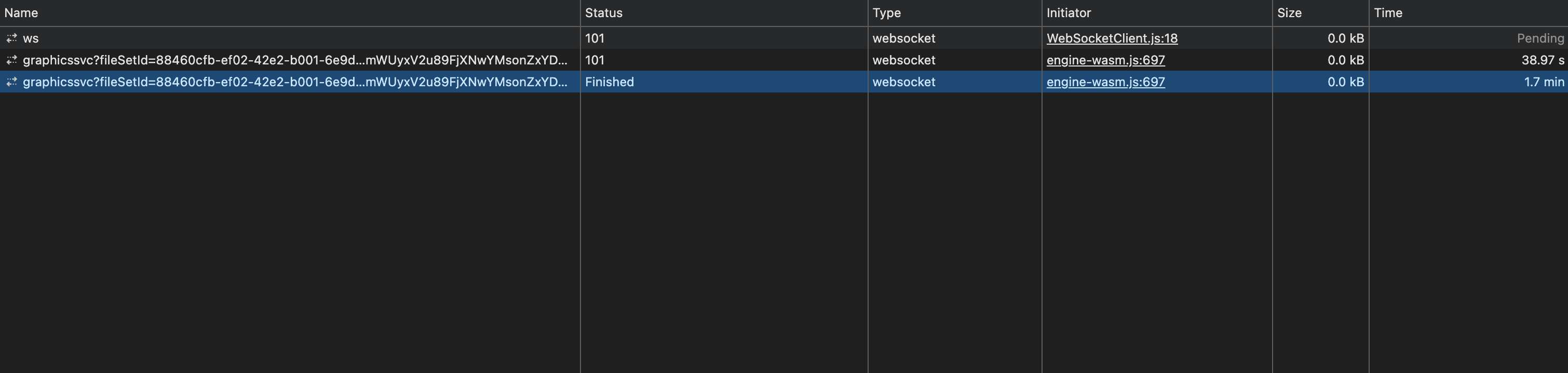
The container still exists — I only removed its inner HTML. Then I tried creating a viewer instance again using the same container ID. Finally, I got this error: